
An ESP32 development board is a convenient place to start an electronics project. Connect a few sensors, upload the firmware, and you can have a working Wi-Fi device in an afternoon. But once the circuit is working, the development board often becomes the largest and least convenient part of the project.
The next step is usually a custom printed circuit board (PCB). Instead of keeping the ESP32 development board, jumper wires, and external modules, you can bring the necessary components together on a board designed for the actual product.
The process involves more than copying the connections from a breadboard into PCB design software. A development board already contains the power supply, reset circuit, programming interface, and other supporting components. If you remove the development board, you need to decide which of those circuits your custom PCB still requires.
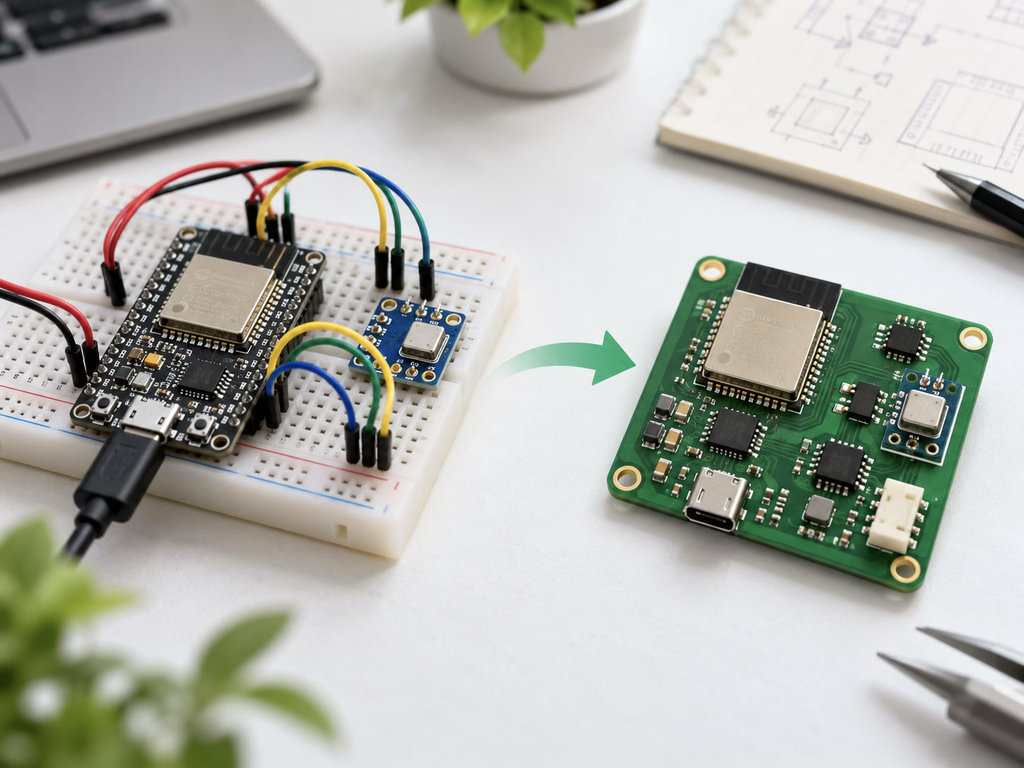
1. Decide What Will Replace the ESP32 Development Board
Before drawing the schematic, decide whether your PCB will carry a complete ESP32 development board or an ESP32 module.
There are two common approaches.
Mounting a development board on your PCB
You can use female headers to connect an existing ESP32 development board to a larger PCB containing sensors, connectors, and other components.
This is the easier option. You keep the development board’s voltage regulator, USB interface, and reset circuitry. It works well for one-off projects and early prototypes, although the finished assembly will be relatively bulky.
Using an ESP32 module directly
For a more compact design, you can place an ESP32 module, such as an ESP32-WROOM-32-series module, directly on your PCB.
These modules integrate the ESP32 chip, flash memory, crystal, and RF circuitry. Versions with a built-in PCB antenna are also available. You still need to provide suitable power, boot configuration, programming access, and connections to your external components.
For this guide, we’ll follow the second approach: replacing the development board with an ESP32 module.
If you’re using an ESP32-S3, ESP32-C3, or another member of the ESP32 family, follow the hardware documentation for that specific model. Their pin assignments, programming interfaces, and boot requirements aren’t necessarily the same.
2. Review Your Working Prototype
Before changing anything, document the circuit that already works. If you’re using an unfamiliar ESP32 variant, ESP32 tutorials can be helpful before you start redesigning the circuit.
Record the connections between the ESP32 and each external component, including power supply voltages, GPIO assignments, pull-up resistors, and communication interfaces.
If your project uses an I2C sensor, for example, check whether the breakout board already contains pull-up resistors. The same applies to voltage regulators, level shifters, and other small circuits that may be hidden on ready-made modules.
A breadboard project might use:
- An ESP32 development board
- A temperature or humidity sensor
- An LED and current-limiting resistor
- A pushbutton
- A 5 V USB power supply
On the custom PCB, the ESP32 development board becomes an ESP32 module with supporting circuitry. The other components can be placed directly on the board if their electrical and mechanical requirements allow it.
There is also no need to redesign every sensor module immediately. If a breakout board contains specialized circuitry or an inconvenient package, keeping it as a plug-in module may be reasonable for the first PCB revision.
3. Build the ESP32 Schematic
Start with the manufacturer’s reference schematic for your exact ESP32 module. This is especially important for the power, enable, and boot connections.
Power the ESP32 Correctly
A classic ESP32-WROOM-32 module requires a regulated 3.3 V supply. Do not connect a 5 V USB rail directly to its 3.3 V power pin.
If your product uses USB power, a typical arrangement is:
USB 5 V → 3.3 V regulator → ESP32 module
Choose the regulator for the expected peak current, not just the average consumption shown by a simple firmware test. Wi-Fi transmission can produce short current peaks that cause resets if the supply cannot respond adequately.
Espressif recommends a 3.3 V supply capable of delivering at least 500 mA for classic ESP32 hardware designs. Allow additional current for the other components on your board.
Place the recommended decoupling capacitors close to the module’s power connections. The manufacturer’s reference design is a better starting point than choosing capacitor values at random.
Add the Enable and Boot Circuits
On the original ESP32, the EN or CHIP_PU signal controls chip enable and reset. It must be high for normal operation.
A common circuit uses a pull-up resistor on EN, with a pushbutton that pulls the signal low to reset the device. Follow Espressif’s recommended power-up timing and RC arrangement for the selected module.
GPIO0 also matters during startup. On the original ESP32, pulling GPIO0 low during reset selects the serial download boot mode. With GPIO0 high during reset, the device normally boots from flash.
You can provide a BOOT button that pulls GPIO0 low, along with an EN reset button.
Be careful when assigning GPIOs to external hardware. Certain pins are sampled at startup to determine boot configuration, and external circuits can interfere with those levels.
For example, GPIO0, GPIO2, GPIO5, GPIO12, and GPIO15 are strapping pins on the original ESP32. Their precise startup functions should be checked in the datasheet. GPIO6 through GPIO11 are normally used by the module’s flash interface and should not be treated as general-purpose pins.
Keep a Way to Upload Firmware
A custom ESP32-WROOM-32 board does not automatically have USB programming just because the development board used a USB cable.
For the original ESP32, UART0 is the usual firmware download interface. At minimum, provide accessible connections for:
- 3.3 V reference, where appropriate
- Ground
- UART0 TX
- UART0 RX
- EN
- GPIO0
A USB-to-UART adapter can then be used for programming. Connect the adapter’s TX to the ESP32 RX and its RX to the ESP32 TX, using compatible 3.3 V logic levels.
You can also integrate a USB-to-UART bridge onto the PCB. With suitable control circuitry, it can automatically handle reset and download-mode selection.
For a small first project, programming pads or a compact connector are often simpler and take less board space.
4. Plan the PCB Layout
Once the schematic is complete, assign the correct component footprints and begin arranging the board.
The component placement matters more than it might seem. A board can pass basic electrical rule checks and still experience Wi-Fi problems, supply instability, or difficult assembly.
Position the ESP32 Antenna
If your ESP32 module has an onboard PCB antenna, place the antenna end near the edge of your circuit board. Espressif generally recommends letting the antenna section extend beyond the carrier PCB when the mechanical design permits.
Avoid placing copper, traces, components, or a ground plane directly beneath the antenna keepout region. The exact clearance depends on the module and should follow its official layout guide.
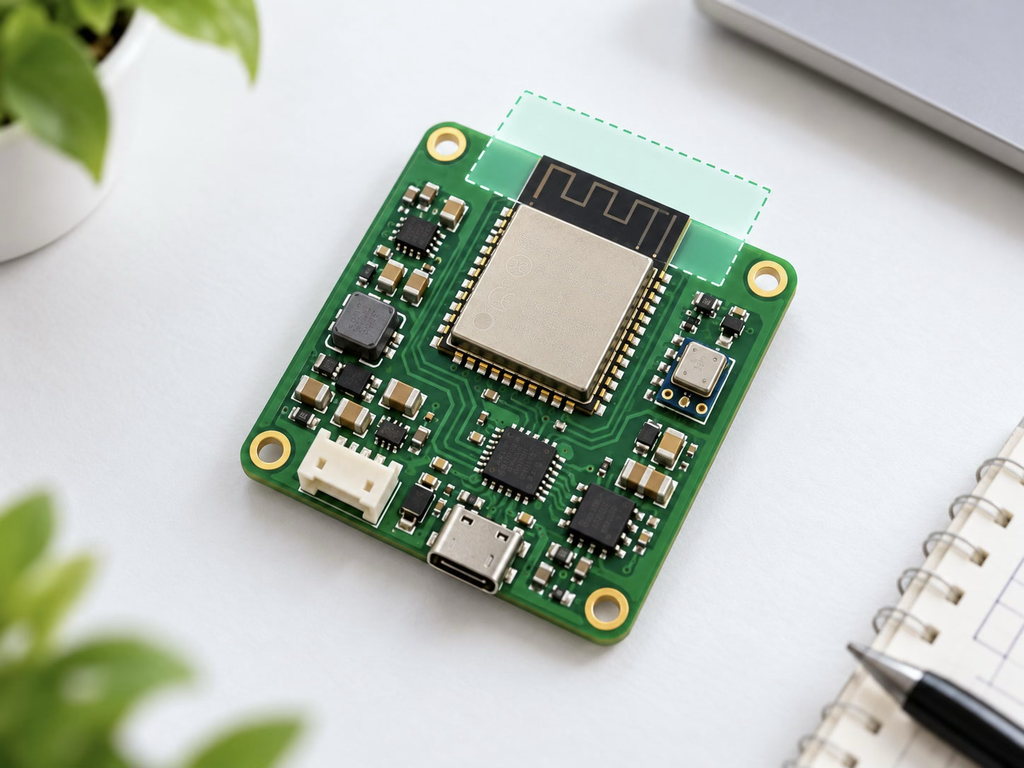
An enclosure can also affect radio performance. Metal parts, batteries, cables, and nearby components may reduce antenna efficiency even when the PCB layout itself follows the reference design.
Don’t assume that a module’s antenna will perform identically once installed inside your finished product.
Keep the Power Distribution Short and Stable
Place the voltage regulator and its required capacitors according to the regulator manufacturer’s layout recommendations.
Keep the main 3.3 V supply path to the ESP32 reasonably short and wide enough for its current requirements. Use a continuous ground return wherever possible.
For a simple module-based PCB, a two-layer design can be practical. A four-layer board provides more routing flexibility and better opportunities for ground and power distribution, especially when the circuit includes sensitive analog signals or several interfaces.
The correct layer count depends on the board’s complexity, not just the presence of an ESP32.
Separate Noisy and Sensitive Circuits
Switching regulators, relays, motors, and other high-current loads should not be routed carelessly alongside sensitive sensor signals.
If you’re controlling a relay, place its driver and flyback protection close to the relay circuit. A GPIO pin should not directly drive a relay coil.
For analog sensors, check the ADC input requirements and avoid routing sensitive signals close to fast switching nodes. The original ESP32 also has ADC limitations worth remembering: ADC2 availability is restricted when Wi-Fi is active.
These details are much easier to address during layout than after the assembled board begins producing inconsistent readings.
5. Check the Design Before Ordering
A custom PCB may look complete on screen while still containing mistakes that make the first prototype unusable.
Start by running the Electrical Rules Check (ERC) and Design Rules Check (DRC) in your PCB software.
Then inspect the design manually.
| What to Check | Why It Matters |
| ESP32 module footprint | Incorrect pad dimensions can prevent proper assembly |
| Power supply | The regulator must handle the module and peripheral loads |
| EN and GPIO0 | Incorrect startup levels can prevent booting or firmware downloads |
| Antenna keepout | Copper or nearby components can degrade wireless performance |
| Programming access | Firmware updates and serial debugging should remain possible |
| Connector pinouts | A mirrored or reversed connector can make the board unusable |
| Component orientation | Diodes, ICs, and polarized capacitors need correct assembly markings |
| Mounting holes and dimensions | The board must fit its intended enclosure |
Compare the module footprint against the manufacturer’s recommended land pattern. Don’t rely entirely on an unverified library symbol downloaded from the internet.
It’s also worth printing the PCB layout at actual size. Placing physical connectors and large components on the printout can reveal mechanical mistakes that are difficult to notice on a monitor.
6. Prepare the Files for PCB Manufacturing
When the design passes review, generate the manufacturing files.
Most PCB manufacturers accept Gerber files for the copper layers, solder mask, silkscreen, and board outline, together with the corresponding NC drill files.
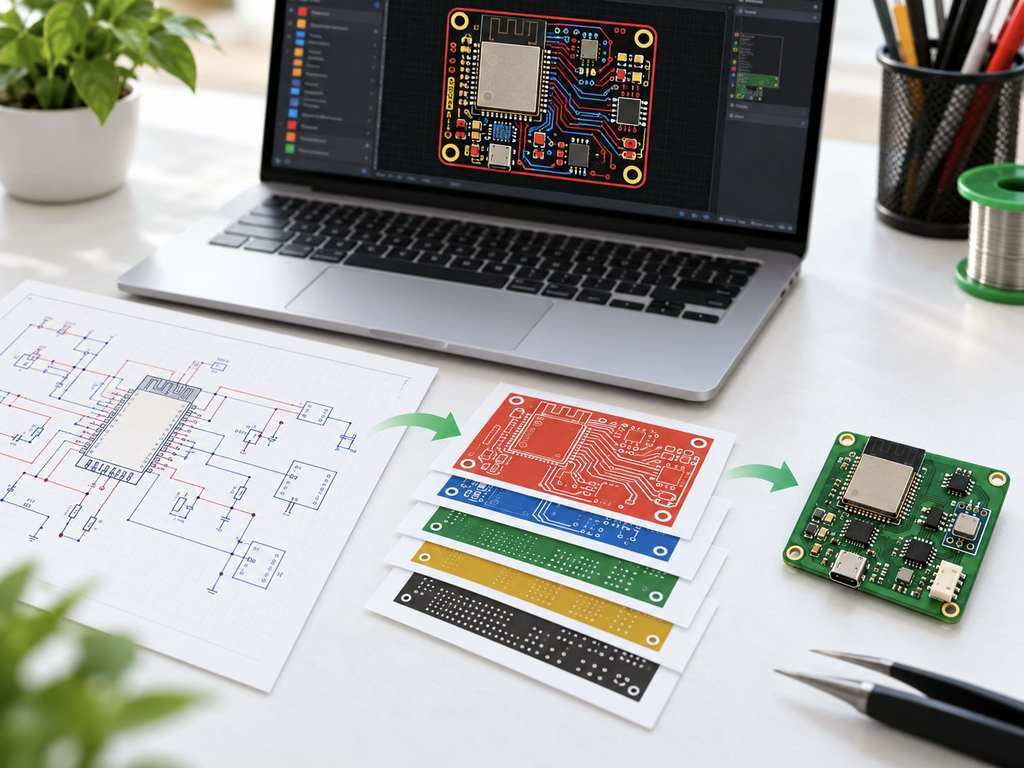
If you’re curious about what happens after submitting these files, this guide on how PCBs are made explains the manufacturing process from start to finish.
Before uploading them, open the output in an independent Gerber viewer.
Check that the board outline is closed, the drill holes are where you expect, and the copper and solder mask layers align correctly.
If you’re ordering bare PCBs, Gerber and drill files plus the required fabrication specifications are usually the main deliverables.
For assembled boards, you’ll also need a Bill of Materials (BOM) and component placement data. Assembly suppliers may request additional drawings or confirmation of component substitutions.
Before placing an order, compare your design against the capabilities of your chosen manufacturer. PCBCool, for example, provides PCB fabrication and assembly services and can review manufacturing requirements for custom electronic boards.
For a first ESP32 PCB, ordering a small prototype batch is usually more useful than committing to a large quantity before the hardware has been tested. If you need both bare boards and assembled prototypes, manufacturers like PCBCool offer PCB and PCBA prototyping services that can help you test your design before moving into larger production runs.
7. Assemble and Test the First PCB
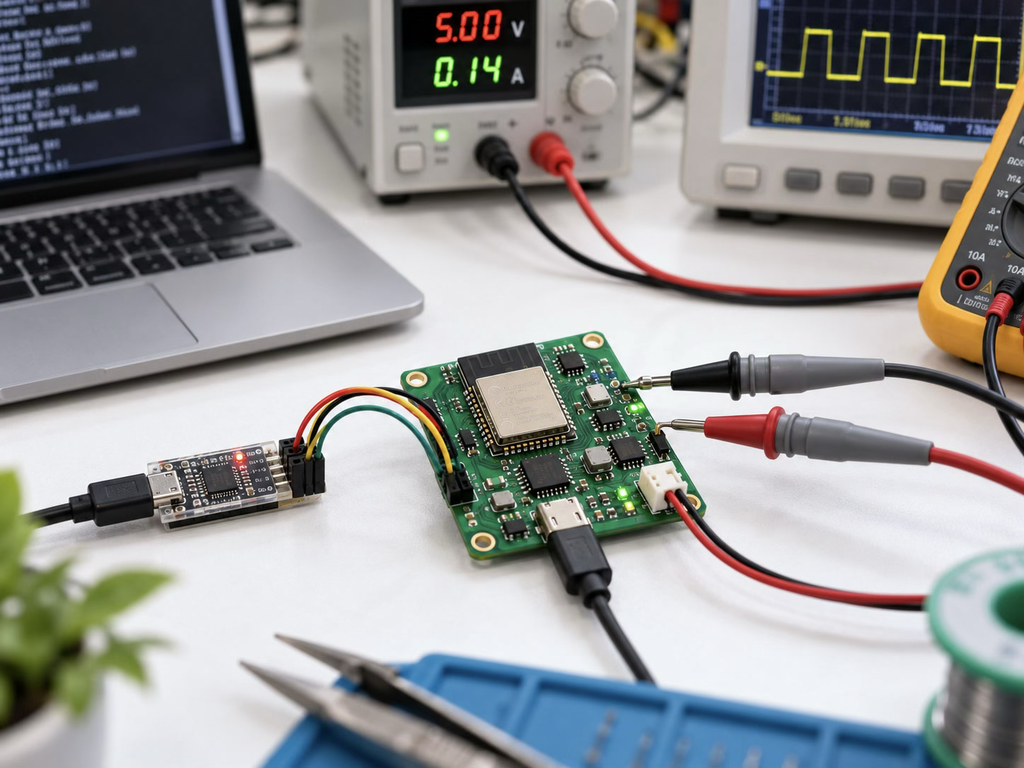
Start testing with the power supply, not with Wi-Fi.
Before installing or powering expensive components, check for shorts between the main supply rails. Then apply power using a current-limited bench supply if available.
Verify that the regulator produces the expected voltage and that the ESP32 supply remains stable.
Next, check the programming interface. If the device doesn’t respond, inspect the EN and GPIO0 signals, UART connections, and power supply before assuming the module is damaged.
Once you can upload firmware, test the board in stages:
- Run a simple GPIO or LED test.
- Check sensor communication.
- Connect to Wi-Fi.
- Verify the remaining external interfaces.
- Measure current during normal operation.
- Check wireless range in the intended enclosure.
Pay attention to failures that appear only when Wi-Fi is active. A board that boots correctly and reads sensors may still reset during transmission if the power supply is marginal.
Also test the reset and recovery behavior. If the firmware crashes or loses power during operation, the device should return to a usable state without requiring awkward manual intervention.
For products intended for regular production, test points, serial logs, and a repeatable functional test procedure will make later troubleshooting much easier.
8. What Changes When You Move Beyond Prototyping?
After the first board works, you may discover that some development conveniences are unnecessary in the finished product.
A dedicated USB-to-UART bridge, several indicator LEDs, or oversized connectors may make sense during development but add cost and occupy space in production.
Removing them can be reasonable, provided you keep a reliable way to program, test, and recover the device.
You should also review how the design will be assembled. Component availability, footprint choices, test-point access, and enclosure fit can become more important when you are building dozens or hundreds of boards instead of one.
If the product uses wireless communication, remember that using a pre-certified ESP32 module does not automatically complete all regulatory requirements for the finished device. The module’s integration conditions and the product’s intended market still matter.
Conclusion
Moving an ESP32 project onto a custom PCB is where a working experiment begins to become a standalone device. The most successful first designs are not necessarily the smallest or most complicated. They are the ones that preserve what already works while making the hardware easier to power, assemble, program, and maintain.
A little extra attention to the supporting circuitry and layout can save an entire board revision—and make the transition from a breadboard prototype to a finished electronic product much smoother.